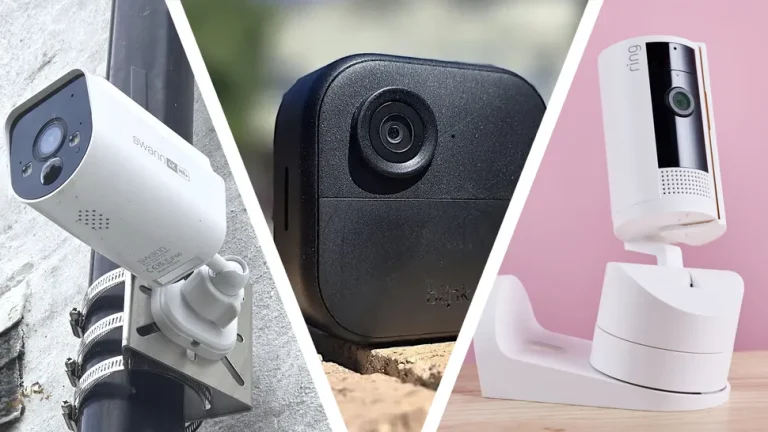
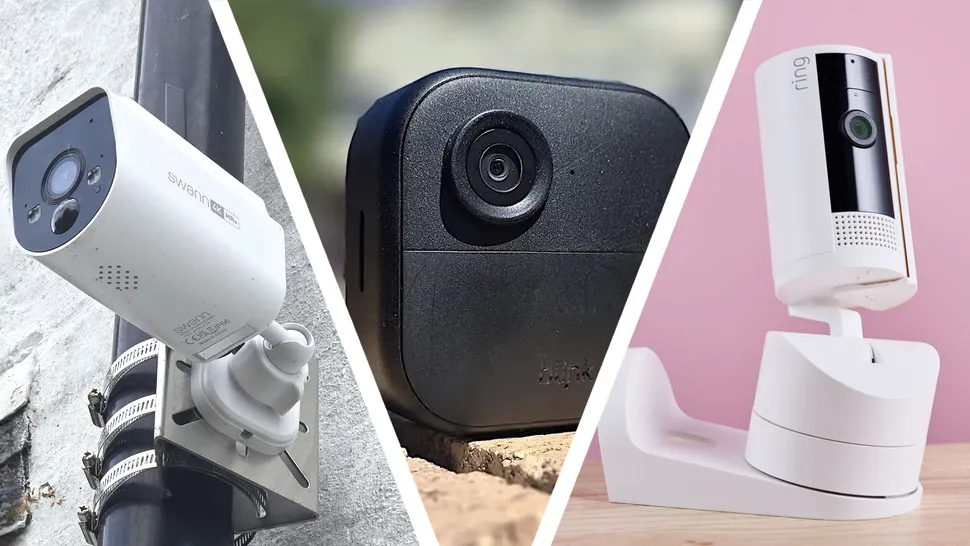
Buying a home security camera becomes confusing when every product page treats more features as automatically better. The useful starting point is simpler: decide how the device will serve doorway monitoring, package awareness, indoor check-ins, outdoor coverage, and recorded security events, then compare only the specifications that affect those jobs. Price still matters, but so do comfort, support, compatibility, and the cost of owning the product for several years. Shoppers who want more background can consult broader smart-home resources, but the final decision should stay tied to real usage rather than hype.
Five Home Camera Brands to Compare
A practical comparison begins with local vs cloud storage, encryption, account security, subscription cost, field of view, power source, and notification controls. Those factors create a much clearer shortlist than sorting by the newest model or the biggest headline number. The five companies or buying channels below represent different approaches to the category. They are not ranked from best to worst; use them as reference points for matching features, support, and ownership tradeoffs to your own priorities.
1. Ring
Ring offers video doorbells, indoor cameras, outdoor cameras, and related security products built around app-based monitoring. Buyers should review subscription requirements, privacy settings, account security, and which recordings remain available without a paid plan.
2. Arlo
Arlo sells indoor and outdoor security cameras, video doorbells, and multi-camera systems. It is worth comparing for users who want flexible placement and higher-end features, but cloud plan costs and local-storage options should be understood before purchase.
3. eufy Security
eufy emphasizes security cameras, doorbells, and systems with local-storage options on several products. It can appeal to buyers who prefer less dependence on cloud subscriptions, though account security, firmware updates, and exact model capabilities still need review.
4. TP-Link Tapo
TP-Link Tapo offers affordable indoor and outdoor cameras alongside other smart-home products. It is a practical comparison for budget-focused setups, especially when you want cameras, plugs, lights, and sensors under one app, but storage and subscription terms differ by model.
5. Wyze
Wyze is known for low-cost connected cameras and other smart-home devices. It can be attractive for adding several cameras without a large upfront cost, but buyers should examine subscription features, notification settings, and privacy controls rather than treating low price as the only decision point.
Privacy and Storage Choices Belong in the Buying Decision
Before paying, write down the three tasks the home security camera must handle well and the two frustrations you most want to avoid. That simple list keeps optional extras from becoming false requirements. Use home security reading as supplementary reading, then verify the exact model, warranty, compatibility, and return terms with the seller or manufacturer before checkout. If two options meet the same core need, prefer the one that is easier to own: simpler support, appropriate capacity, sensible accessories, and fewer compromises you will notice every day.
A second useful test is to compare the total setup rather than the product alone. Accessories, subscriptions, adapters, replacement parts, service plans, and future upgrades can change the real cost. Buying a slightly less ambitious device can be smarter if it avoids expensive add-ons or gives you a better fit for your routine.
Frequently Asked Questions
Should I choose local storage or cloud storage?
Local storage can reduce ongoing fees and keep recordings physically close to home, while cloud storage can preserve footage if a camera or local hub is stolen. Some systems support both. Decide which failure scenario worries you more and how much ongoing cost you are willing to accept.
How can I improve camera privacy?
Use a unique password, enable multi-factor authentication when available, keep firmware updated, review sharing permissions, and disable cameras in spaces where recording is unnecessary. Place indoor cameras carefully so convenience does not turn into constant surveillance of private areas.
Do I need a subscription for home cameras?
It depends on the brand and the features you want. Basic live view may work without a plan, while cloud history, advanced alerts, longer clips, or person detection may require one. Compare the multi-year subscription cost before choosing a cheap camera system.
Protect the Home Without Giving Up Privacy
The strongest buying decision is the one you can explain in plain language: what problem the product solves, which features matter, and which features you deliberately ignored. Security cameras should reduce uncertainty without creating a new privacy problem inside your own home. If you want another perspective before spending, camera privacy guidance can support your comparison, but the last check should always be your own workload, budget, and tolerance for compromise.