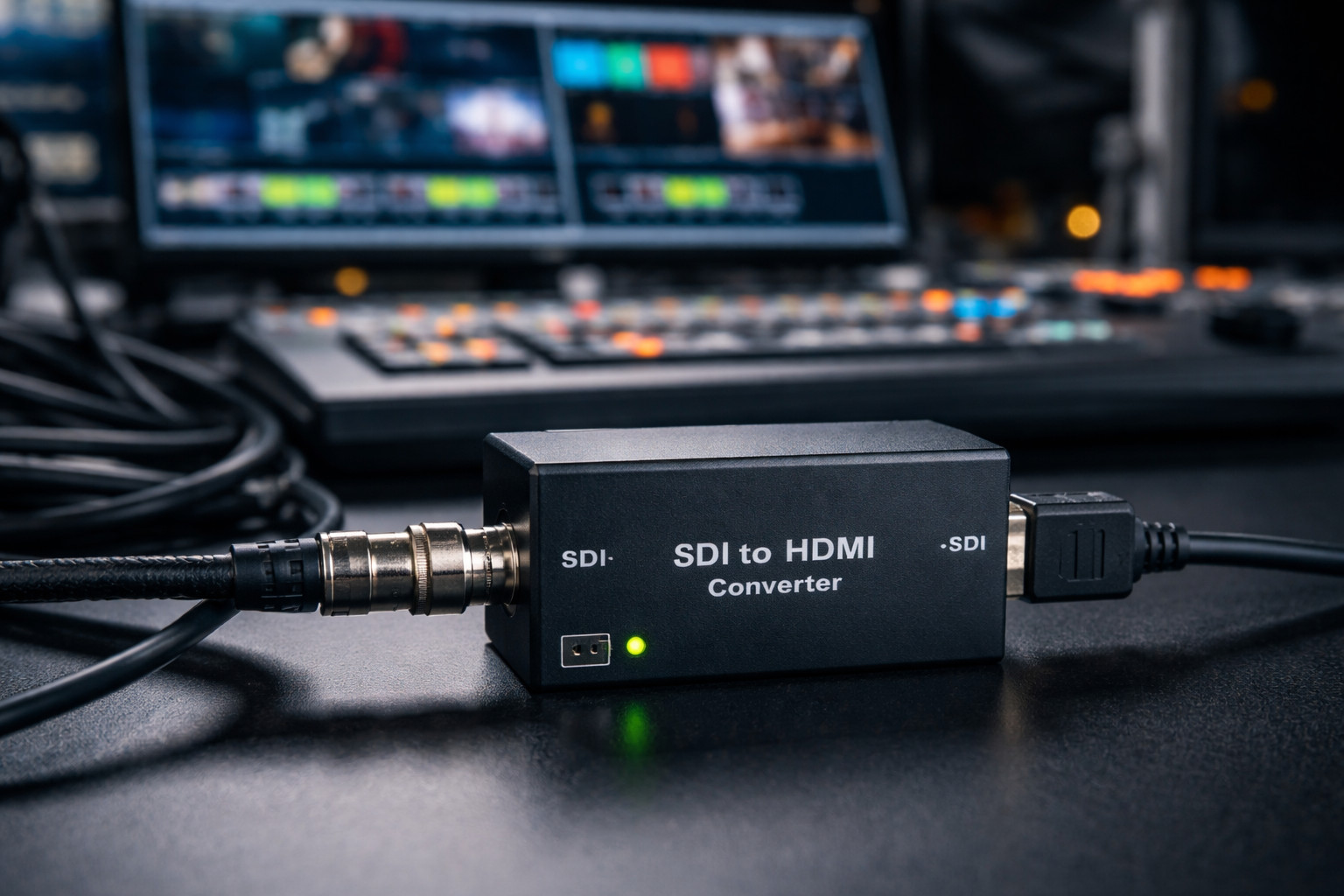
Choosing the right SDI to HDMI converter is about far more than simply turning one signal into another. In professional video workflows, the quality of conversion can affect image accuracy, audio reliability, monitor compatibility, and the overall stability of your setup. Whether you are building a broadcast chain, equipping a live production rack, or creating a dependable monitoring station, understanding which features actually matter can save time, money, and technical headaches. This guide explains the most important things to look for before buying an SDI to HDMI converter, from format support and signal quality to audio handling and workflow flexibility.
1. Start with format compatibility, not price
An SDI to HDMI converter looks simple on paper, but the wrong model can create expensive problems in monitoring, live production, or facility integration. The first feature to evaluate is format compatibility, because this determines whether the converter will actually accept the SDI signal you use today and the one you may need tomorrow. At a minimum, buyers should confirm support for the exact SDI family in their workflow-SD-SDI, HD-SDI, 3G-SDI, and, if 4K is involved, 6G-SDI or 12G-SDI-as well as the needed resolutions, frame rates, and cinema formats. Blackmagic’s Micro Converter SDI to HDMI 12G, for example, is built for NTSC, PAL, 720p, 1080p, 1080PsF, 1080i, and 2160p rates, including 4K DCI frame rates, while AJA’s Hi5-12G handles 12G-SDI to HDMI 2.0b conversion up to 4K/UltraHD 60p. Thor Broadcast’s SDI to HDMI Mini Converter is a more basic example: it auto-detects SD-SDI, HD-SDI, and 3G-SDI and supports resolutions up to 1080p. That comparison shows why “works with SDI” is never a sufficient specification. A converter may be perfectly fine for a 1080p studio monitor and completely unsuitable for a 2160p60 field display or a DCI-centric set. The smart buying rule is to match the converter to the highest bandwidth, highest frame rate, and most unusual format you realistically expect to handle, not just the signal that happens to be on your desk today. Format headroom is often the difference between a useful long-term tool and a short-term workaround. Auto-detection is helpful, but verified support for your exact standards matters far more than marketing shorthand.
2. Image fidelity matters more than “it shows a picture”
The second major feature is image fidelity, which is really a bundle of requirements: color precision, chroma handling, bit depth, HDR behavior, and display calibration options. If the converter is being used only for casual confidence monitoring, basic conversion may be enough. But if it sits in a shading station, a grading-adjacent workflow, a client monitor chain, or any environment where color decisions matter, the converter’s video path becomes much more important. AJA’s Hi5-12G is a strong example of what higher-end image handling looks like, supporting HDMI 2.0b output, 4:4:4, 4:2:2, and 4:2:0 output modes, 12-bit workflows, HDR signaling metadata pass-through, and optional HDR override. Blackmagic’s 12G SDI-to-HDMI model adds a 33-point 3D LUT for calibrating a monitor, projector, or television, and Blackmagic also highlights that LUT processing can be used on the SDI loop output. Those are not cosmetic extras. They determine whether an inexpensive consumer display can be integrated into a more disciplined monitoring setup without making the picture misleading. When reviewing specifications, buyers should ask practical questions: does the converter preserve the color information required by the display, can it pass or generate the HDR metadata the screen expects, and does it provide any tool for calibration? A converter that merely “shows an image” may be enough for engineering checks, but a converter with proper bit-depth support, metadata handling, and LUT capability is far better suited to serious production environments where the monitor must tell the truth, not merely light up.
3. Processing flexibility can save a broken workflow
A third feature that deserves much more attention is processing flexibility, especially scaling, frame-rate conversion, and cross-conversion behavior. Many buyers assume every SDI to HDMI converter simply repackages the signal, but that is not true. Some models are intentionally transparent, while others solve real interoperability problems between cameras, routers, computers, projectors, and displays. This matters because HDMI monitors and televisions can accept a narrower set of formats than professional SDI gear. If your source is 1080i59.94, PsF, or an unusual frame-rate variant, the best converter is often the one that can normalize the signal for the display rather than forcing the rest of the system to adapt. Decimator’s MD-HX is a useful reference point because it includes scaling and frame-rate conversion on either HDMI or SDI input and offers multiple operating modes, controlled from an onboard LCD and button interface. AJA’s ROI-HDMI product page, while aimed at HDMI-to-SDI scan conversion rather than SDI-to-HDMI monitoring, usefully illustrates the kind of processing buyers should value in converter-class hardware: up, down, and cross-conversion, aspect-ratio conversion, frame-rate conversion, image flip/rotation, and loss-of-input handling such as black, freeze, or mute. The lesson is straightforward: if the converter will live in a fixed, standards-controlled pipeline, a simple pass-through unit may be ideal. But if it will be used in rental, events, flypacks, mixed-brand AV systems, or troubleshooting carts, processing flexibility can save the day. In those environments, a converter that can adapt the signal is often more valuable than one that is merely inexpensive.
4. Never treat audio as an afterthought
Audio support is the fourth feature to inspect closely, because many converter purchases fail not on video but on channel mapping, monitoring convenience, or sync. In professional workflows, SDI often carries embedded audio, and the converter must decide how that audio appears on the HDMI side and whether it remains usable for external monitoring. AJA’s Hi5-12G supports 8-channel 24-bit embedded audio, passes through compressed formats such as AC-3 and E-AC-3, and supports up to 100 frames of audio delay. AJA’s Hi5-Plus also shows what a more monitoring-oriented design can offer: up to 16 channels of embedded SDI audio on input, pass-through to 8-channel HDMI audio, adjustable audio delay, and separate 2-channel analog audio outputs for direct monitoring. Thor Broadcast’s HD/SD-SDI to HDMI and audio converter similarly emphasizes that it can take SD-SDI, HD-SDI, or 3G-SDI video with up to 8 embedded audio channels to HDMI and also provide separate outputs for two embedded digital audio signals for external speakers. At the high end, Blackmagic’s 2110 IP SDI to HDMI 12G-10 adds ten independent XLR audio outputs, remote level control, and customizable delay for sync with TVs and projectors. Buyers should translate those specs into operational questions: how many audio channels must reach the display, do you need analog outputs for speakers or meters, can you choose which embedded channels are sent to HDMI, and is audio delay available to compensate for display latency? A good SDI to HDMI converter should not only preserve picture; it should keep audio intelligible, routable, and in sync with the screen that operators actually watch.
5. Reliability features are what make a converter usable in the real world
The fifth feature set is all about workflow resilience: loop outputs, power options, control interfaces, and signal-management details that keep the converter useful beyond a lab bench. AJA’s Hi5-12G includes a 12G-SDI loop out, USB configuration via Mini-Config software, 5–16 VDC power support, and fiber-equipped variants for longer-distance transport, while Blackmagic’s Micro Converter SDI to HDMI 12G pairs professional 12G-SDI with full-size HDMI connections and allows the LUT to be applied on the SDI loop output as well. AJA’s broader Hi5 line also shows why loop-through and separate audio monitoring matter in practice: one converter can feed an HDMI monitor while still passing SDI onward for additional gear, or expose dedicated analog audio outputs when operators need quick monitoring without extra boxes. On the HDMI side of mixed-interface systems, Extron’s EDID guidance is a useful reminder that display communication matters; Extron positions EDID management as a way to keep continuous, accurate capability information flowing between devices, which helps reduce avoidable format and handshake headaches in AV systems. Even though an SDI source itself does not negotiate with a display the way a native HDMI source does, the display-facing side of the chain still benefits from stable signal management and predictable monitor behavior. This is why the best converter is rarely judged by image conversion alone. It is judged by whether it integrates cleanly into the rest of the workflow, powers up reliably in the field, survives frequent patching, exposes enough control to troubleshoot quickly, and lets you split or continue the signal without adding extra devices. Reliability features do not look glamorous on a spec sheet, but they are often the reason one converter keeps a production moving while another becomes a point of failure.
6. Choose the converter type that matches your workflow
In practical buying terms, the best SDI to HDMI converter is the one whose feature set matches the seriousness and variability of your workflow. For simple monitoring in 1080p environments, a compact plug-and-play unit can be enough, and Thor Broadcast is worth considering in that category because its mini converter auto-detects SD-SDI, HD-SDI, and 3G-SDI, supports embedded audio over HDMI, and is positioned as a straightforward, plug-and-play solution up to 1080p. Thor also claims long SDI cable reach figures for that product and offers a separate SDI-to-HDMI-and-audio model for users who need external audio outputs in addition to HDMI delivery. For more demanding UHD, HDR, or calibration-sensitive work, brands such as AJA and Blackmagic clearly position their products higher, with support for 12G-SDI, 4K/UltraHD 60p, 12-bit workflows, HDR metadata handling, SDI loop out, and 3D LUT-based calibration. If your work regularly jumps between unpredictable sources and displays, Decimator’s conversion-and-scaling approach may be the more strategic fit because flexibility can outweigh raw format purity. The safest purchase method is to score every candidate against a short checklist: exact SDI standards supported, maximum resolution and frame rate, HDR and bit-depth support, scaling/frame-rate conversion, audio channel handling, loop-out options, power and configuration method, and the level of ruggedness the job demands. Once you compare converters through that lens, the market becomes much easier to read. You stop shopping for a generic “converter” and start choosing a monitoring tool, an integration tool, or a problem-solving tool-each with a different ideal feature profile.